
WhatsApp Calling
WhatsApp calls,
right in your inbox.
Customers call your WhatsApp number and your team picks up in the browser. Every call lands in the chat, next to everything else you know about that customer.
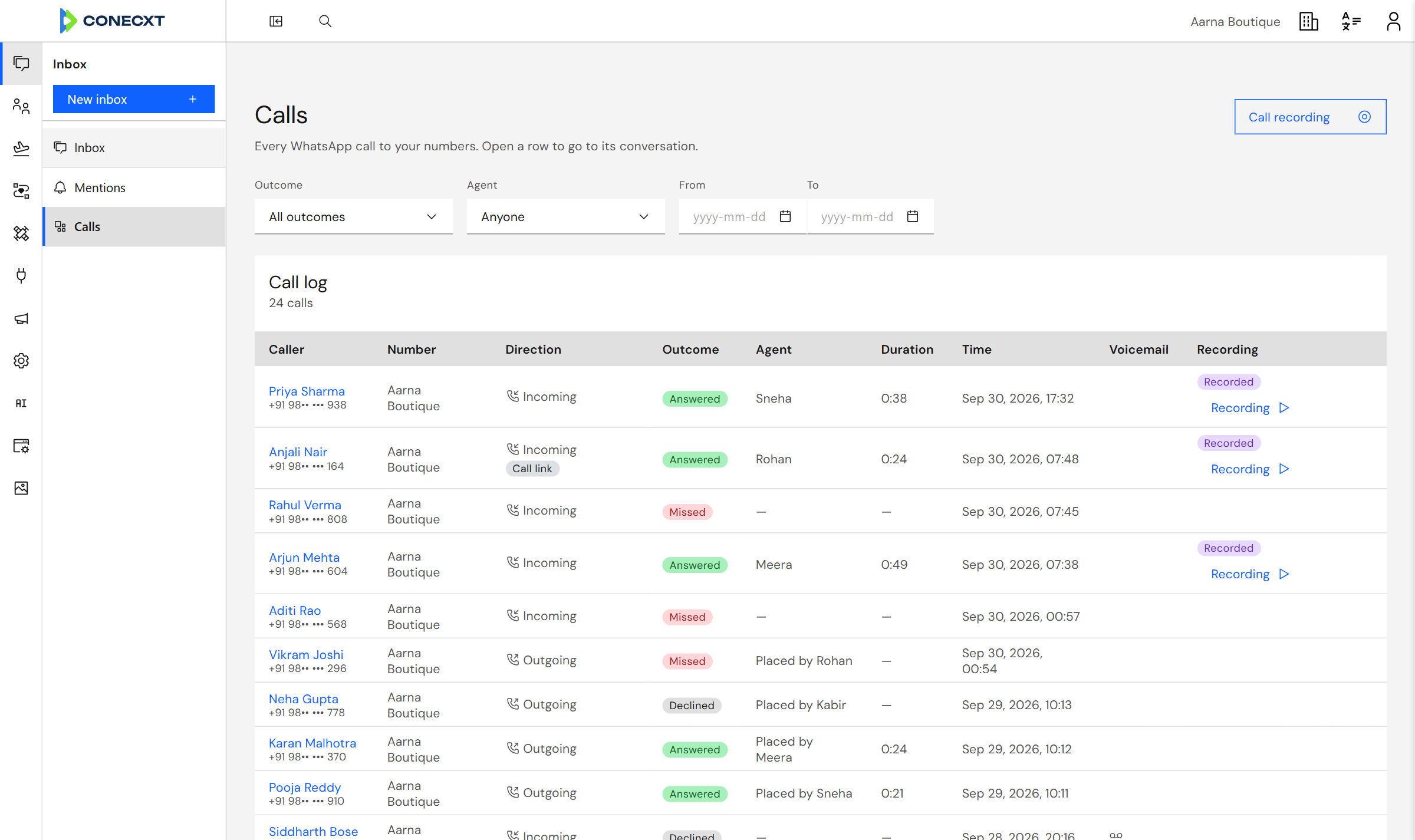
Answered, missed, declinedEvery call with its outcome and who took it.
Recordings, if you want themSwitch recording on for your business.
Incoming calls
Answer from any desk
A call rings for everyone on the team who can take it. The first person to answer gets it, and the others see who did.
- No phone passed around the office.
- The caller’s name and chat history are on screen when you pick up.
- Missed a call? The team gets an alert.
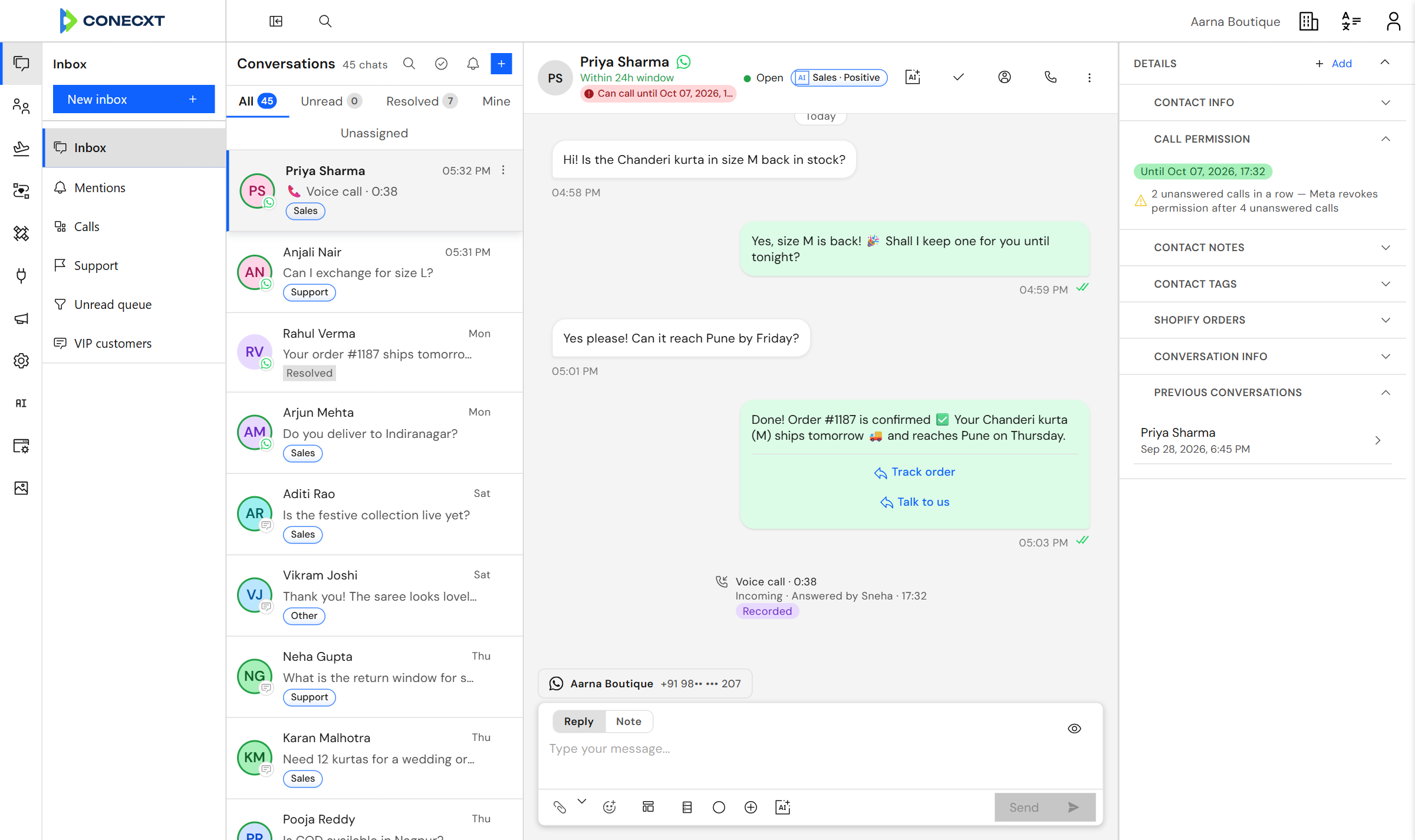
The call lands in the chat
Calling customers
Call back when they say yes
WhatsApp asks the customer before a business can call them. Conecxt sends that request from the chat and shows you the answer.
- Ask to call with one click in the conversation.
- See at a glance whether you are allowed to call.
- Share a call link customers can tap to ring you.
Permission, at a glance
Calls log
Every call on record
A calls log shows who called, who answered, how long it lasted and when.
- Filter by outcome, agent and date.
- Voicemails are saved with the call they belong to.
- Turn on call recording if your business needs it.
Filter by outcome and agent
Before you switch it on
- 01 Calling is switched on per WhatsApp number, for numbers Meta allows to take calls.
- 02 Your WhatsApp account needs a payment method in Meta Business Manager.
- 03 Calls from customers are free. Calls your team makes are charged by Meta.
- 04 Customers call from the WhatsApp app on their phone.
Questions
Do my agents need a phone?
No. They answer in the browser, with a headset or the computer’s microphone.
Can we call customers first?
Yes, once the customer allows it. WhatsApp requires their permission, and Conecxt asks for it from the chat.
Who pays for calls?
Calls from customers are free. Meta charges for calls your team makes, billed to the payment method on your WhatsApp account.
Are calls recorded?
Only if you turn recording on. WhatsApp tells both people on the call that it is being recorded.
Try calling on your own number
Try calling with your own number.