
Resources News
Instagram DMs now land in every Conecxt workspace: connect your account in two minutes
Since 11 October we switched Instagram on one workspace at a time while Meta reviewed our app. Meta has approved the messaging permissions, so from today any workspace can connect its own Instagram professional account and answer DMs next to WhatsApp and web chat.
The short version
- Meta has approved Conecxt's Instagram messaging permissions. Instagram Direct messages now work for every workspace, and you connect the account yourself from the Channels page with a Facebook login.
- You need an Instagram professional account (business or creator) with a Facebook Page connected to it, and the Allow Access to Messages toggle switched on inside the Instagram app.
- DMs get the same inbox as WhatsApp and web chat: one owner per conversation, tags, notes, saved views, one contact record per person, journeys and AI agents inside Meta's 24-hour window.
- Comment replies from the inbox are per workspace (rolling out soon). Ask us and we will switch them on for yours.
- A person still can't reply to an Instagram DM more than 24 hours after the customer's last message. Meta's Human Agent feature for that is in development on our side, not available today.
On 11 October we wrote that WhatsApp, Instagram and web chat now share one inbox, with one honest caveat: Instagram was switching on workspace by workspace while Meta reviewed our app. That review has come back. Meta approved the Instagram messaging permissions, which means Direct messages now work for every Conecxt workspace, and you connect the account yourself.
The caveat had a technical reason, not a commercial one. Meta’s own page on private replies spells it out: “Standard Access apps can only access data for people who have a role on the app.” Until Meta grants an app advanced access, that app can only talk to Instagram accounts whose owners have been added to the app as testers. So for two weeks we added each customer’s account by hand. From today that step is gone.
What you need before you connect
An Instagram professional account with a Facebook Page linked to it, and one toggle inside the Instagram app. Meta’s get-started page lists the first two as requirements: “An Instagram professional account” and “A Facebook Page connected to that account”. Business and creator accounts both qualify; a personal account doesn’t, and Instagram’s own settings convert one to a professional account in a minute.
The toggle matters more than people expect. Meta’s page says that to manage Instagram messages through any connected tool, the account “will need to enable the connected tools toggle under message controls settings”, found under Instagram Settings, then Messages and story replies, then Message controls, then Connected Tools, then Allow Access to Messages. If it’s off, Conecxt connects cleanly and nothing ever arrives. Check it first.
Take Kavya Bhandari, who sells handmade silver jewellery from Udaipur with two helpers and gets most of her orders from Instagram. (Kavya and her shop are invented for this note.) Her account is already a business account because she runs ads from it, and the Facebook Page exists because Instagram made her create one for the ads. Her set-up is the toggle and a login.
Connecting takes a Facebook login
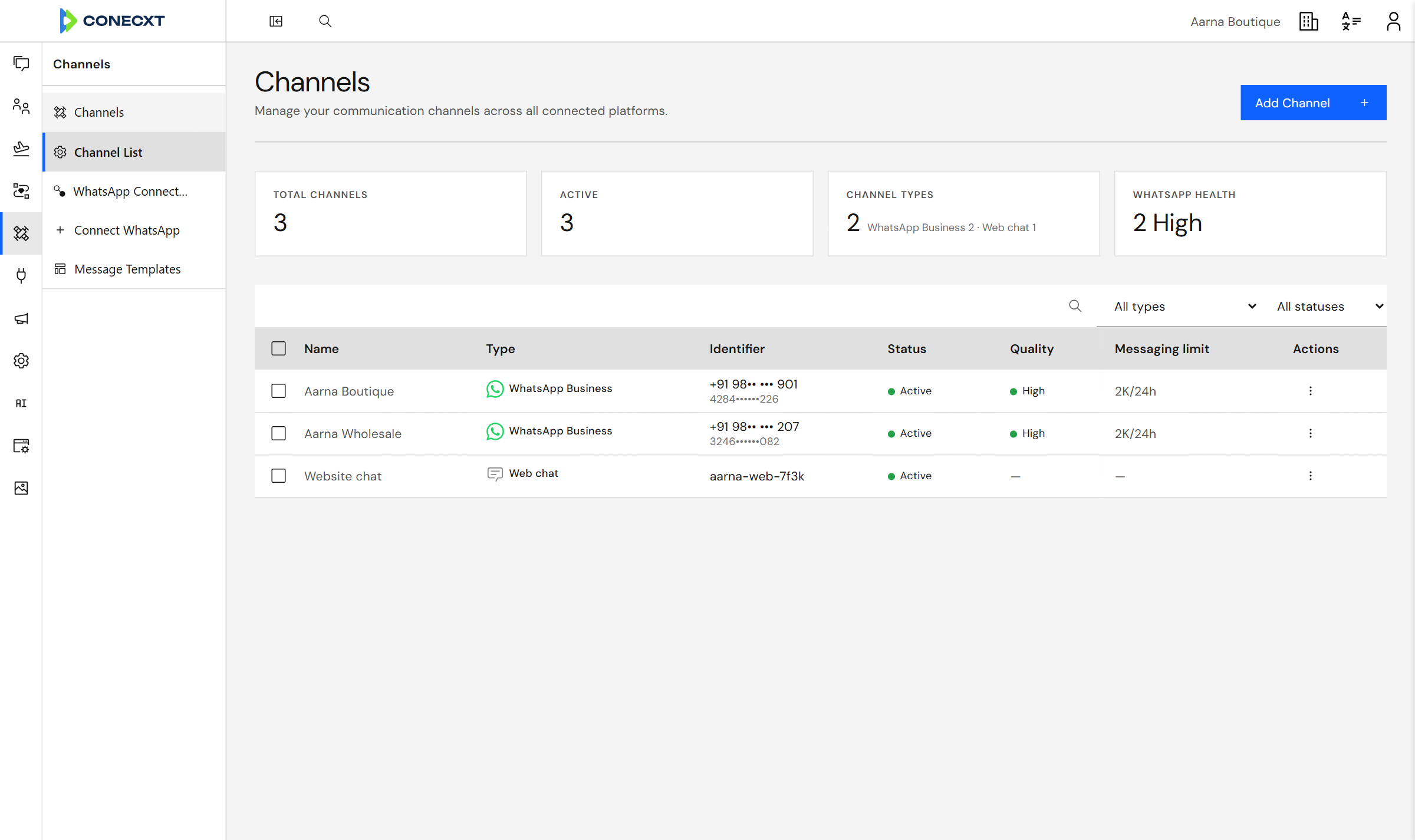
Channels in Conecxt. Instagram sits next to WhatsApp and web chat; the connect button now works in every workspace.
Open Channels in Conecxt, choose Instagram, and sign in with the Facebook account that manages the Page. Meta shows which Pages that account can work on; pick the one linked to your Instagram account and allow the permissions. Conecxt reads the account’s name, profile picture and follower count, subscribes to the message webhooks, and the channel shows as healthy on the Channels page. That is the whole procedure, and it takes about two minutes.
Two things happen in the background that are worth knowing. Conecxt checks the connection every day: if Meta revokes the token, or a permission goes missing because someone changed the Page’s roles, the channel row shows what needs attention and a Reconnect button, before a customer’s message goes missing. And if the account also uses Meta’s own inbox, Meta’s Conversation Routing decides which app holds a thread at any moment; Conecxt shows a held thread with a banner and a Take control button, and can hand a thread to Meta’s inbox the same way. Meta’s routing page, updated 18 October, notes that the Handover Protocol it replaces is no longer supported, and that the Meta Business Suite Inbox can be a connected application or the default one.
What arrives, and what the team can do with it
A Direct message arrives as a conversation in the same list as WhatsApp and web chat, filtered by channel if you like. The person’s name and handle sit on the thread, with whether they follow you and whether the account is verified. Photos, videos, voice notes and shared posts come through as the customer sent them; Meta’s webhook page notes one gap, that messages containing gifs and stickers are not delivered, so a customer who replies with only a sticker looks silent until they type.
From there it’s the inbox you already use. One owner per conversation, so two people never answer the same person. Tags, notes, saved views and @mentions. Reactions, which the customer sees on Instagram, and read receipts, which you see in Conecxt when the customer has seen your reply. The contact record is one record: Kavya’s customer who asked “price?” on Instagram on Tuesday and sent her address on WhatsApp on Thursday is one person, with both threads on the same card.
Meta’s overview page requires something of every automated Instagram experience: “Apps that use the Instagram Messaging APIs must have an escalation path to a human agent.” The handover from an agent to a person is that path, and the agent says what it is when it introduces itself.
The 24-hour rule, in Instagram’s version
Meta’s standard window for Instagram messaging is 24 hours from the customer’s last message. Inside it, your team, a journey or an agent can reply freely. After it closes, a reply needs Meta’s Human Agent feature, which lets a person, and only a person, answer for up to 7 days. We have built that lane in Conecxt and it stays switched off until Meta approves the feature for our app, so for now the practical rule is the same one the WhatsApp team lives by: answer today. A saved view of conversations with no reply, checked before the shop closes, catches the ones that would otherwise expire.
There is no template system on Instagram, and no campaigns. Instagram is for conversations the customer starts; a broadcast still belongs on WhatsApp, where Meta’s templates and opt-in rules live.
Comments: per workspace, rolling out soon
Comment replies from the inbox are the one Instagram feature still per workspace, and they are rolling out soon. In the meantime, the comments feature works exactly as it did on 11 October for workspaces we switch on by hand: a comment on your own post or reel arrives as a conversation with a card of the post, and the team can reply publicly, send one private reply, hide, unhide, like or delete it, with a confirmation before anything is deleted.
Meta’s private replies page sets the limits that shape it: “Only one message can be sent to the Instagram user who commented”, within 7 days of the comment, and “only when the Instagram user responds to the private message can you continue the conversation within the 24-hour messaging window.” If you want comments on for your workspace now, tell us.
What to do this week
Connect the account, switch the toggle, and send yourself a DM from another phone to watch it land. Then do the one thing that pays for the whole exercise: pick who owns Instagram conversations at 6 pm. Kavya’s answer was the helper who already packs the orders, because the person asking “is this in stock?” is usually about to buy one. Everything else, the tags, the saved views, the agent that answers size questions from the catalogue page, can come in the second week. The glossary has the terms, and the Instagram DM guide covers the 24-hour rule and comment replies in more depth.
Common questions
Can I connect Instagram to Conecxt myself now?
Yes. Meta approved our Instagram messaging permissions, so any workspace can connect an Instagram professional account from the Channels page with a Facebook login. Until now we enabled Instagram one workspace at a time, because Meta lets an app under review reach only accounts with a role on the app.
Do I need a Facebook Page to connect Instagram DMs?
Yes. Meta's Instagram Messaging API works through the Facebook Page linked to your Instagram professional account, so the account must be a business or creator account with a Page connected. You also switch on Allow Access to Messages under Message controls in the Instagram app, or messages never reach any connected tool.
Can my team reply to Instagram comments from Conecxt?
In workspaces where we have switched it on, yes: a comment arrives as a conversation and you can reply publicly, send one private reply within Meta's 7-day limit, hide, unhide, like or delete it. Comment replies are per workspace (rolling out soon); ask us and we will enable them for yours.
Can I reply to an Instagram DM after 24 hours?
Not today. Meta's standard window for Instagram messaging is 24 hours from the customer's last message, and after that a reply needs Meta's Human Agent feature, which allows a person to answer for up to 7 days. We have built that lane and it stays off until Meta approves the feature for our app.
Can an AI agent answer Instagram DMs?
Yes, inside the 24-hour window. An AI agent attached to the Instagram channel answers from the documents and pages you give it, with text and buttons, and hands the conversation to a person with a summary when it can't help. Meta requires automated experiences to offer a path to a human, and the handover is that path.
Sources
- Overview of Instagram Messaging (Meta for Developers) · Updated 28 Sep 2026, read live 25 Oct 2026
- Get started with Instagram Messaging (Meta for Developers) · Updated 1 Apr 2026, read live 25 Oct 2026
- Private replies, Instagram Messaging (Meta for Developers) · Updated 2 Jul 2026, read live 25 Oct 2026
- Conversation Routing for Instagram (Meta for Developers) · Updated 18 Oct 2026, read live 25 Oct 2026
- Instagram Messaging webhooks (Meta for Developers) · Updated 16 Sep 2026, read live 25 Oct 2026
Run this on your own number
Create an account, connect your WhatsApp number, and invite your team.