
Features
Channels
WhatsApp, Instagram and your website chat, connected properly and running in minutes.
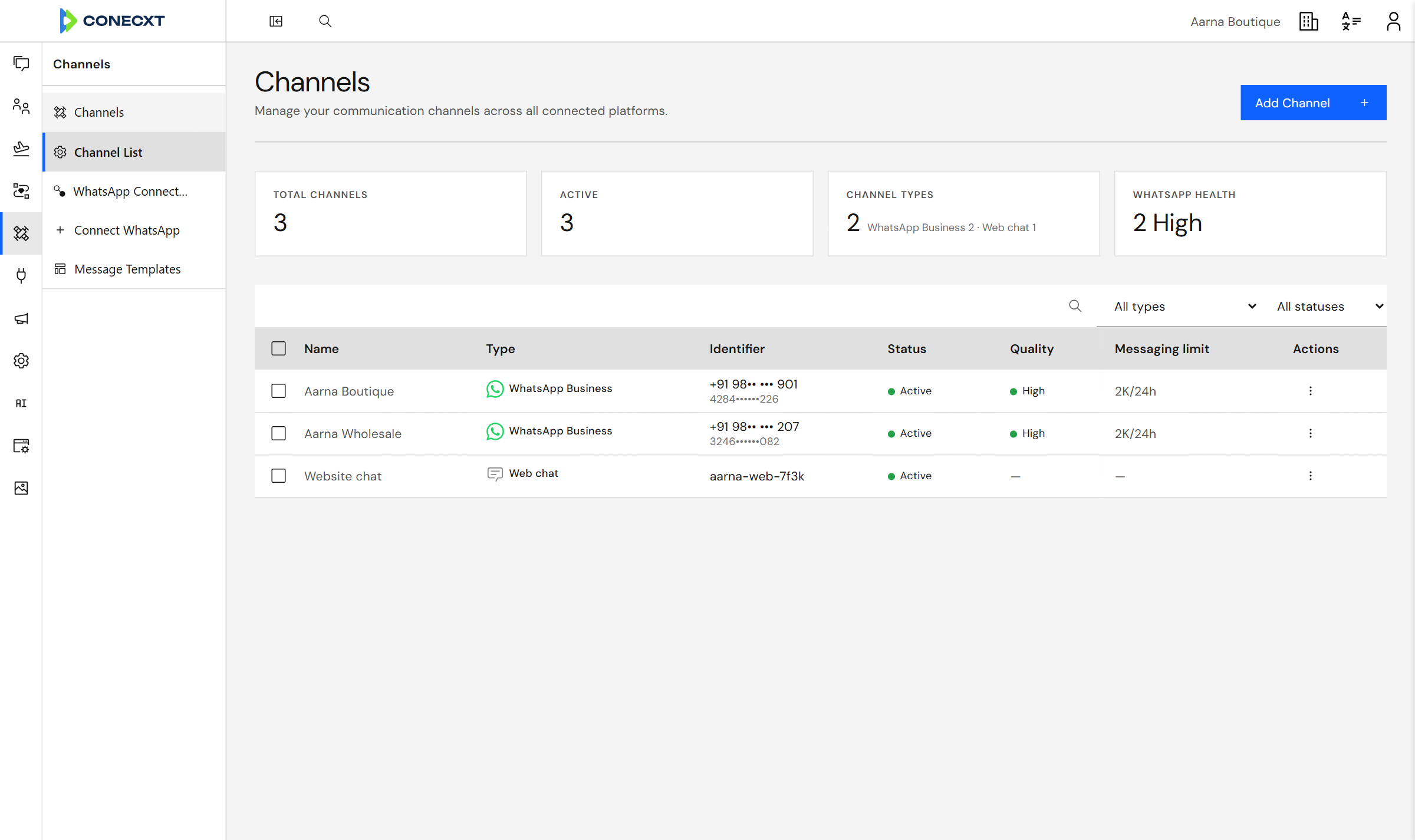
Quality and limit for every number
What you get
What channel setup does today.
9 live today
- Official WhatsApp Business connection through Meta
- Connect your number by signing in with Meta
- Keep using WhatsApp on your phone while Conecxt runs alongside
- Connect several WhatsApp numbers to one workspace
- See each connected number and whether it is healthy
- Nothing is lost or duplicated, even if WhatsApp sends it twice
- Built so new channels plug in without rebuilding your setup
- Web chat widget on the business's own website
- Instagram via Facebook Login for Business
Channels
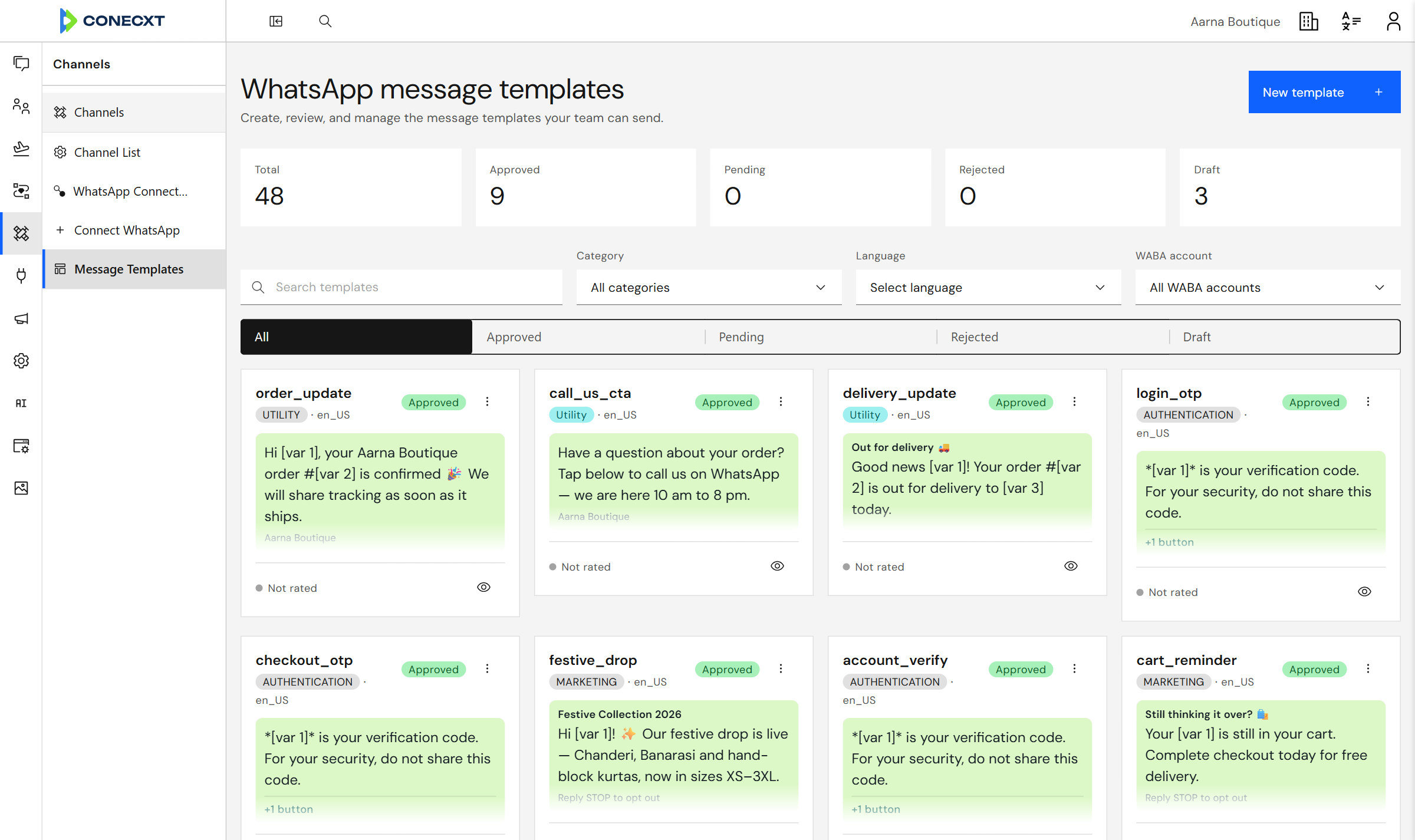
Templates for every number
Create message templates, filter by category and language, and see which ones WhatsApp approved.
Questions
How do I connect WhatsApp?
Sign in with Meta from inside Conecxt, and your number is set up for you.
Can I run more than one number?
Yes — several numbers, and several WhatsApp accounts, from one place.
Can I connect Instagram?
Yes. Connect your Instagram professional account through its Facebook Page from the Channels page, and Direct messages arrive in the same inbox. Replies to comments on your posts are per workspace (rolling out soon); ask us to enable yours.
Which channels come next?
WhatsApp, Instagram and web chat are live today. We will say exactly which channels come next, and when.
Try it with your own conversations
Connect your number, or your Instagram account.