
Features
Team Inbox
Every WhatsApp conversation in one place, answered by whoever is free.
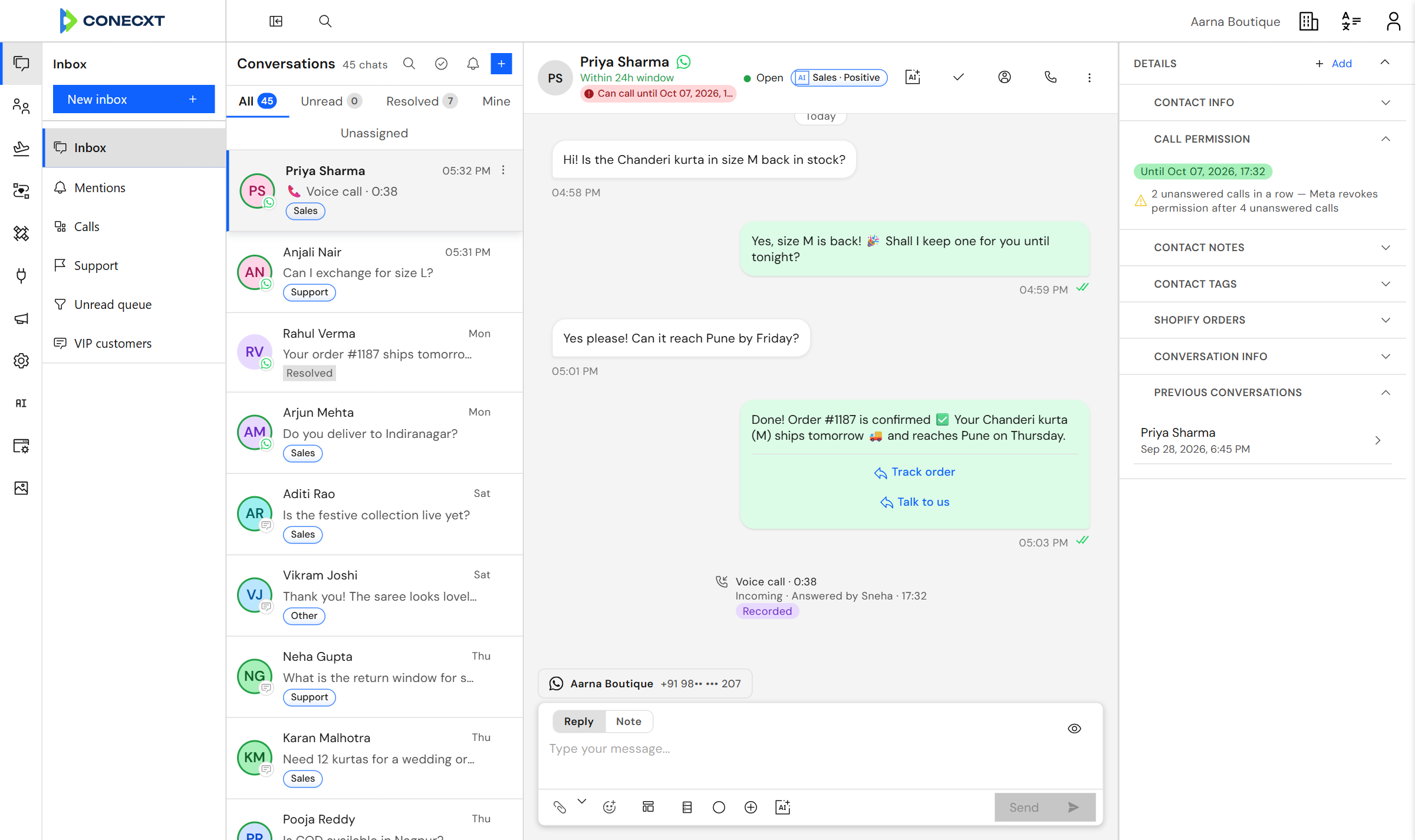
Every chat, one inboxFilter by unread, mine or unassigned.
Reply or leave a noteNotes stay inside your team.
What you get
What the inbox does today.
26 live today
- Shared team inbox
- Messages arrive instantly, with no refresh
- Assign a chat to yourself, a teammate, or a team
- Team inboxes — each team sees only its own conversations
- Filter by unread, mine, unassigned or resolved
- Unread counts you can trust, and bulk mark-as-read
- Save the views you actually use
- Mention a teammate and they hear about it straight away
- Leave notes the customer never sees
- Mark a conversation resolved, and reopen it
- Tag a chat or move its stage without leaving it
- A side panel you arrange, showing what matters on each chat
- Start a new chat with anyone
- A composer with a live phone preview
- Send an approved template straight from a chat
- Drop customer details into any message
- Steers you to a template once WhatsApp's 24-hour window closes
- Interactive messages, location, contact cards, stickers, reactions
- Media carousel messages
- Every kind of message displays properly
- Composer autosave
- Emoji, and a quick way to insert customer details
- Shared media library with folders and tags
- See where each file is used, and keep earlier versions
- Pick from your media library anywhere you write
- Storage limits that go up with your plan
Team Inbox
The chat and the customer, side by side
Open a chat and the customer’s details, notes, tags and past conversations are right next to it.
Questions
Can two people reply to the same chat?
Yes, and you can see who is handling it. Give a chat to one person or a whole team so nobody answers twice.
Can I leave a note for a colleague?
Yes. Notes stay inside your team and are never sent to the customer.
How do I find the chats that matter to me?
Save a view — unread, mentions, or one channel — and it stays on your list.
Try it with your own conversations
Try it with your own conversations.