
Features
Campaigns
Send one message to a group of customers, and see what happened to each of them.
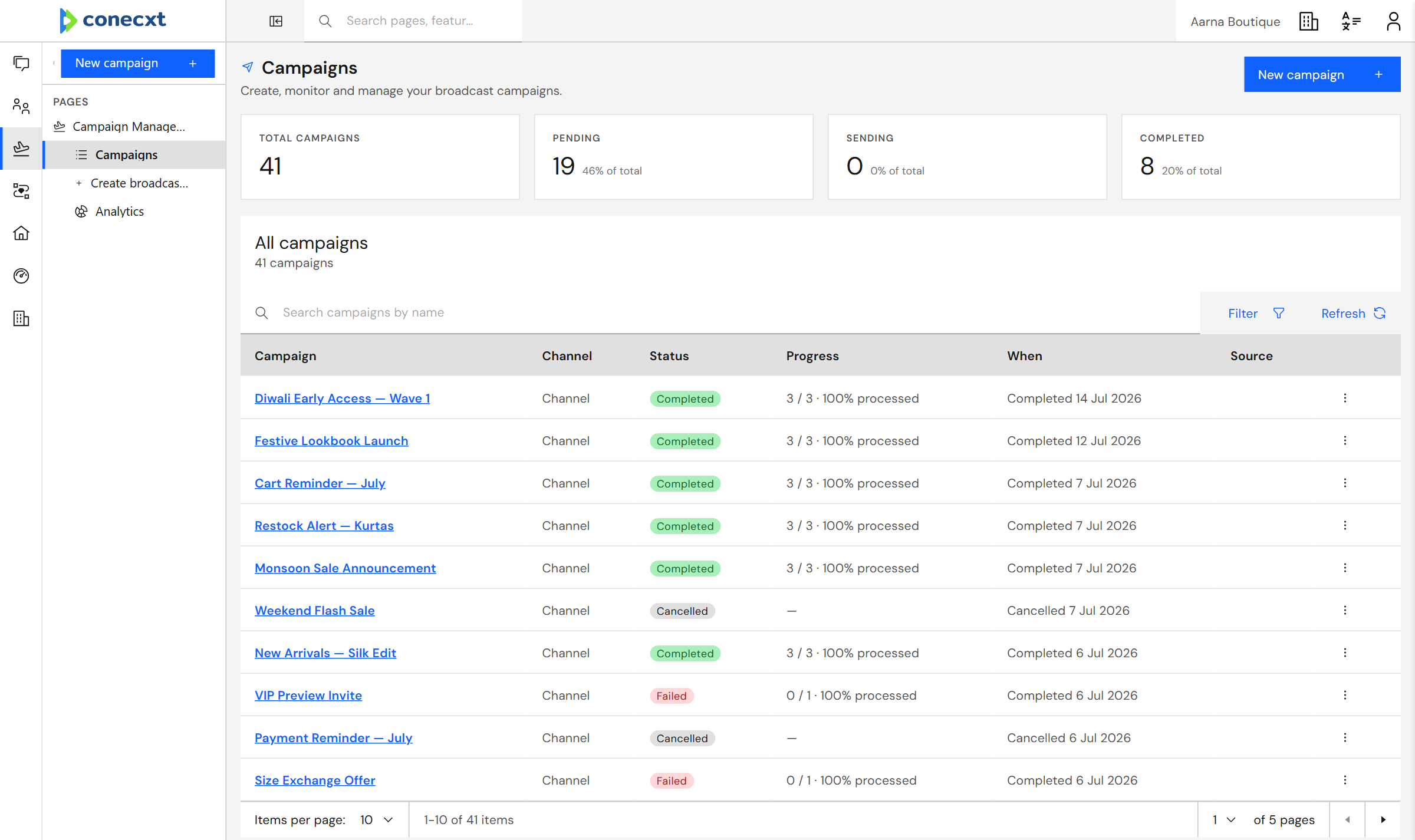
Status and progress for every send
What you get
What campaigns can do today.
12 live today
- Build a broadcast step by step
- Watch a campaign's progress as it sends
- Send now, later, or on a repeat
- Everyone gets their own details filled in
- Real delivered and read ticks, from WhatsApp itself
- See exactly who tapped a button in your message
- Campaign analytics dashboard
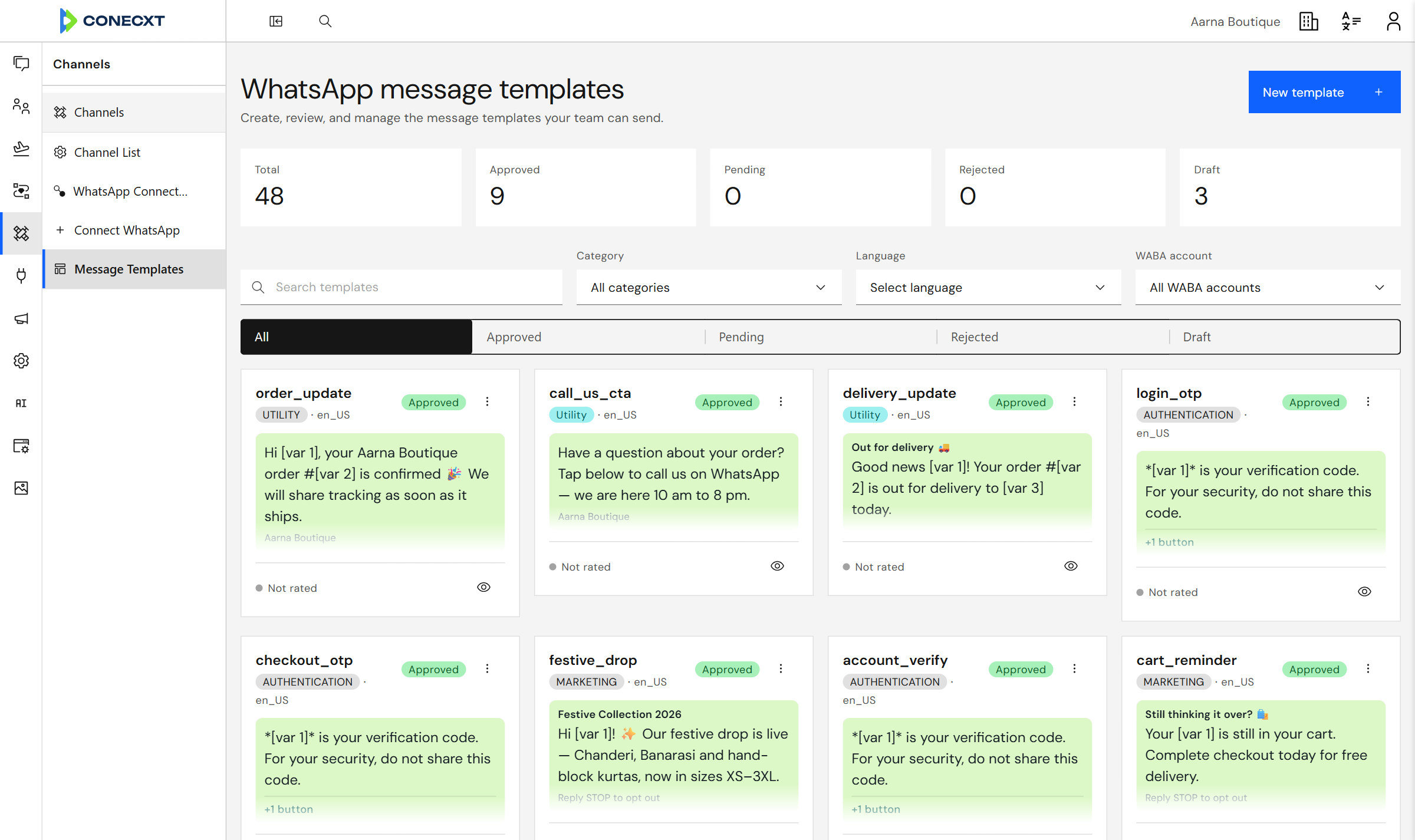
- Write templates and submit them to Meta
- Template approvals update on their own
- Headers, footers, buttons and media in templates
- Only templates approved for that number are offered
- Reusable message templates
Campaigns
Templates WhatsApp has approved
Write a template once, send it for WhatsApp’s approval, and use it in any campaign.
Questions
Who can I send to?
Any group built from your own contacts, including rule-based groups that keep themselves up to date.
How do I know it arrived?
Delivered and read counts come from WhatsApp and update as they are reported.
Can I schedule a send?
Yes. Send it now, or pick a time.
Try it with your own conversations
Send your first campaign.