
Features
Contacts
Who your customer is, sitting beside what they just said.
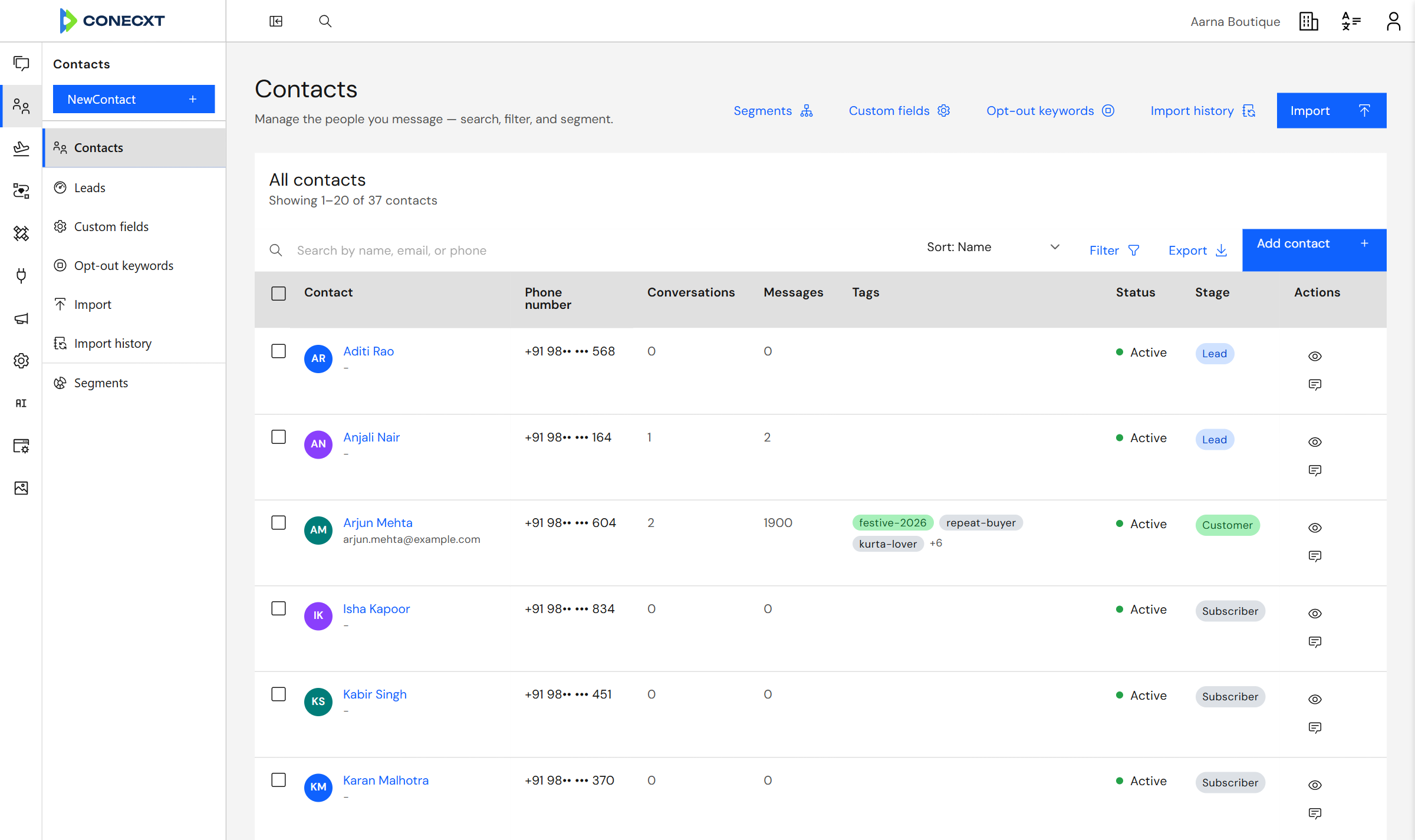
Tags you name yourself
Lead, subscriber, customer
What you get
What contacts does today.
9 live today
- Your whole contact list, with a full record behind each one
- Import contacts from a spreadsheet, and undo it
- Add your own fields to every contact
- Tag contacts and conversations
- Track where each customer is, from lead to customer
- Groups built from rules, that keep themselves up to date
- Use a group as a campaign audience or an inbox filter
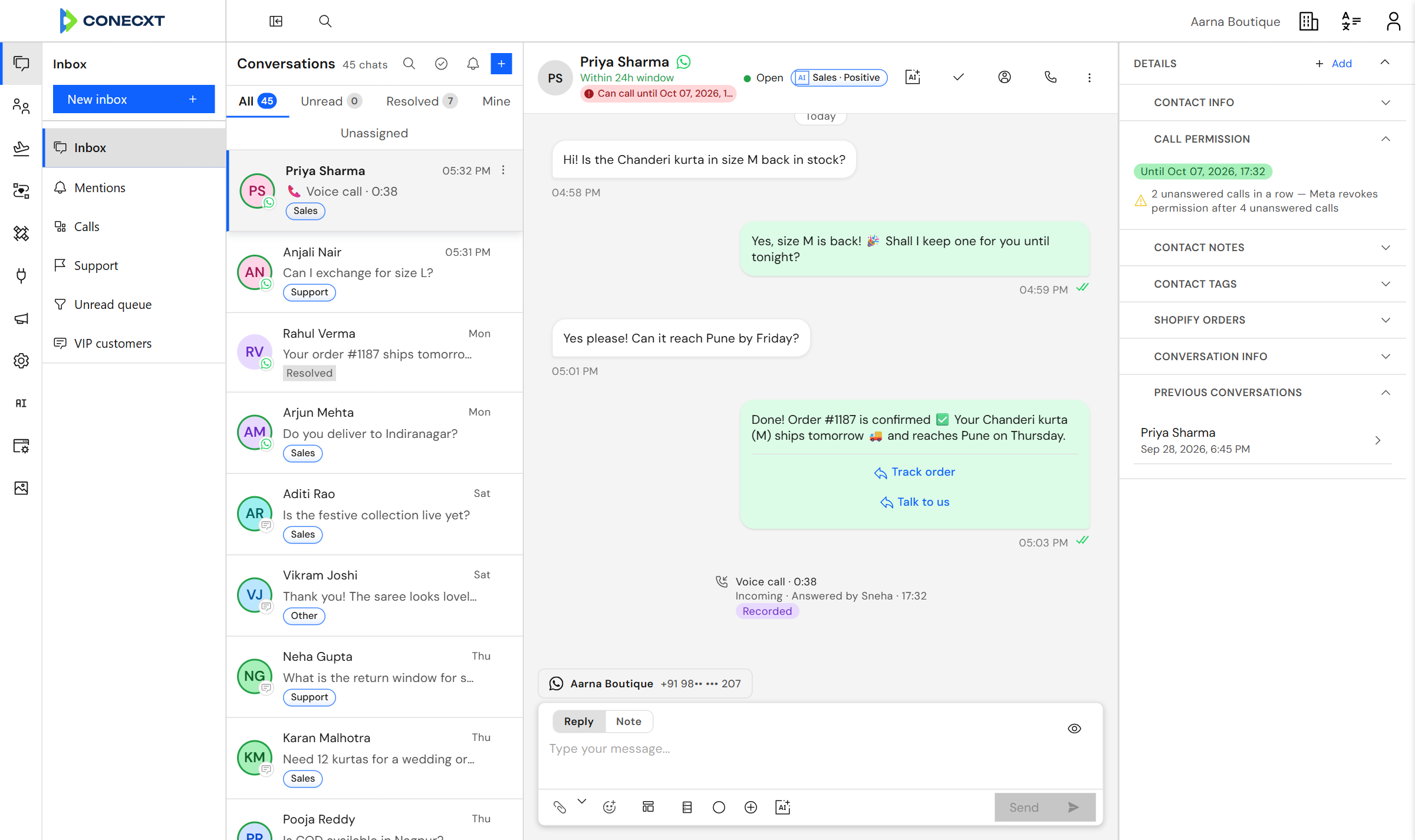
- Every activity, note and message on one timeline
- One customer record, however they get in touch
Contacts
What you know, beside the chat
Notes, tags and Shopify orders sit next to the conversation, so nobody asks the customer twice.
Questions
Can I add my own fields?
Yes. You name them, and they appear on every contact.
How do I bring contacts in?
From a spreadsheet. You get an import history, and you can undo one that goes wrong.
Can I build a group that updates itself?
Yes. Set the rules once, and people join or leave as their details change.
Try it with your own conversations
Bring your contacts in.