
Features
Everything your team needs, in one place
Chats and calls, AI agents, campaigns, follow-ups and customer records, built to work together.
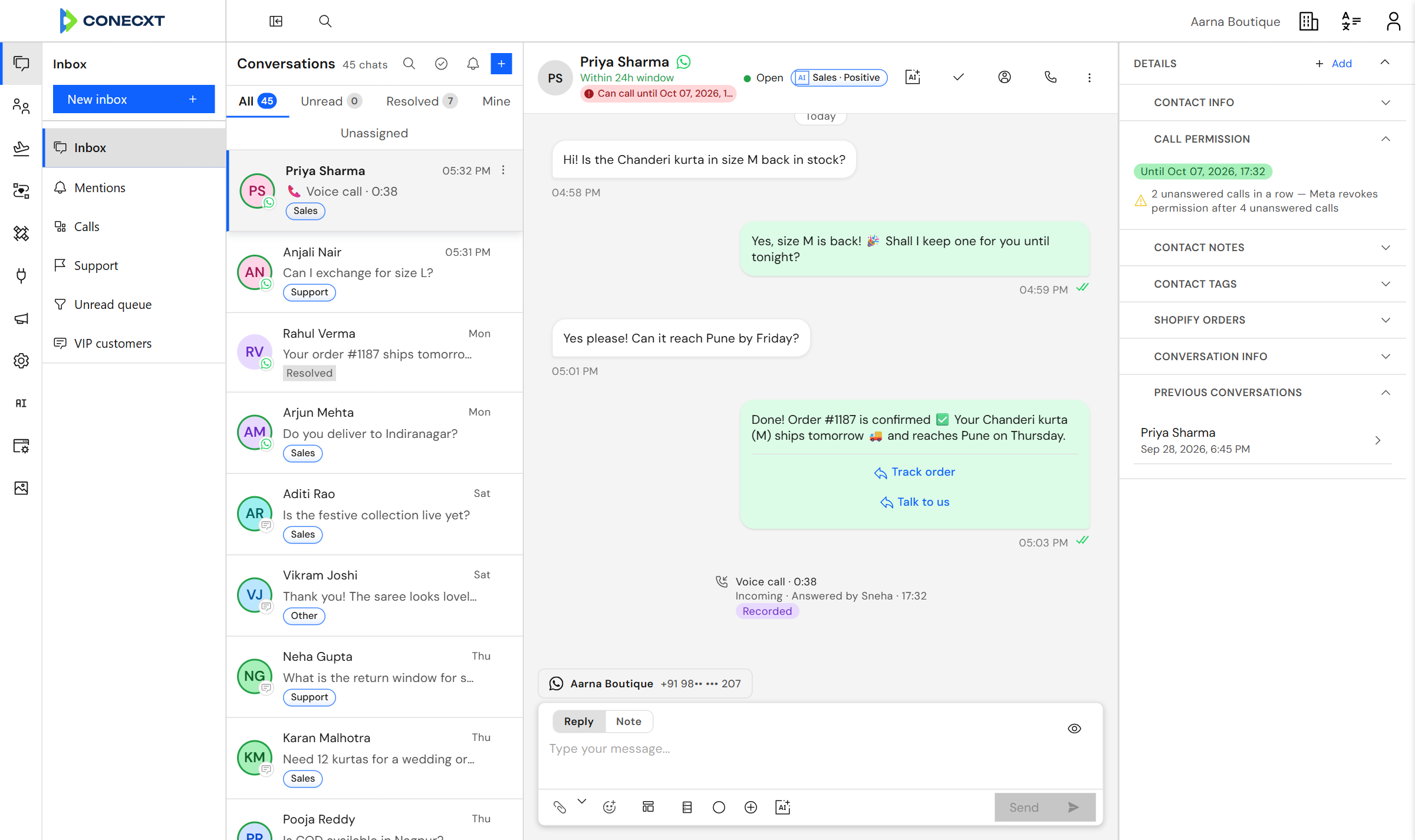
Chats and calls togetherEvery conversation, for the whole team.
AI tags every chatBy topic and mood, automatically.
Explore by area
Each one works on its own. Together they stop you copying things between apps.
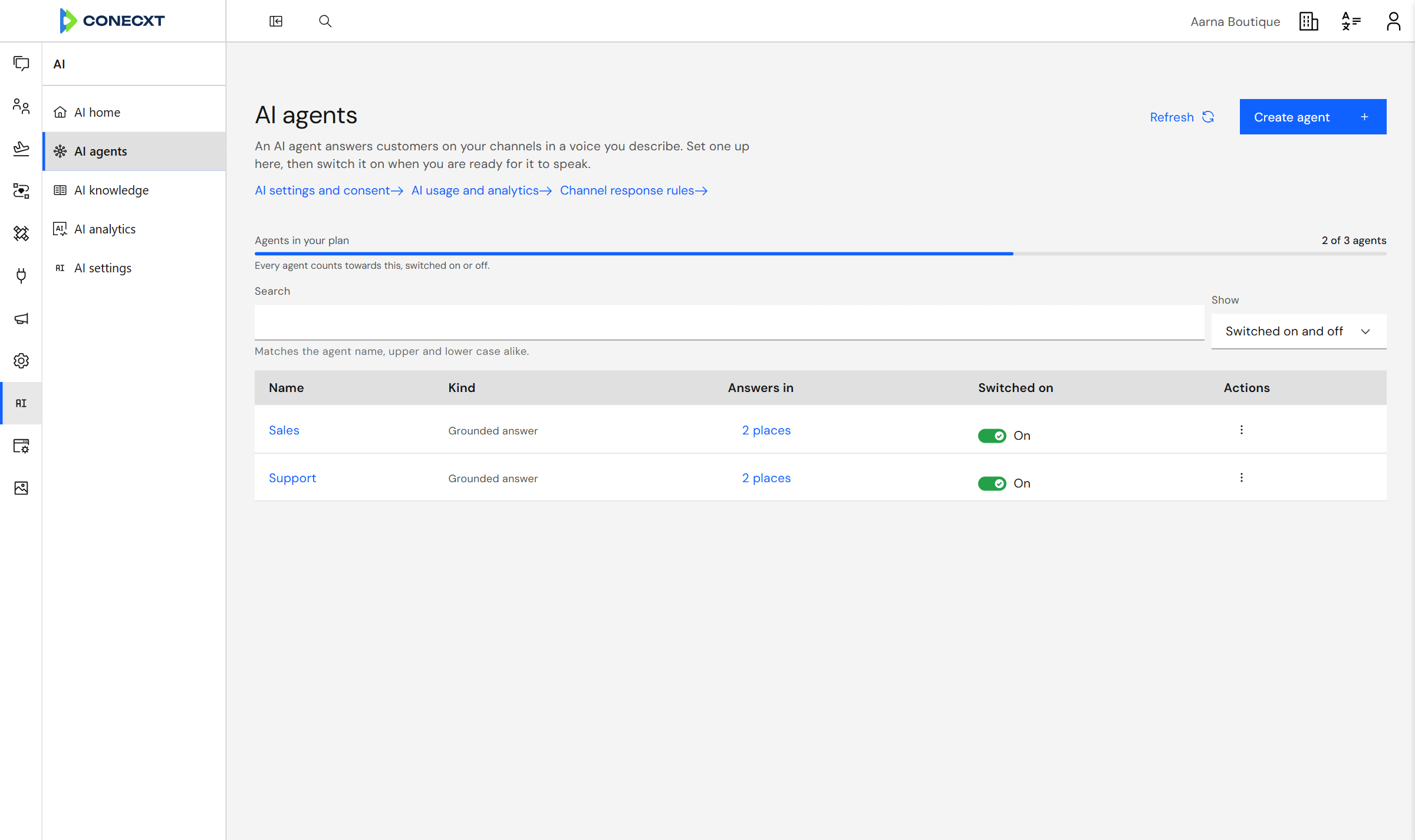 NewAI agents Answers customers from your own documents and website, and hands over to a person when it should.
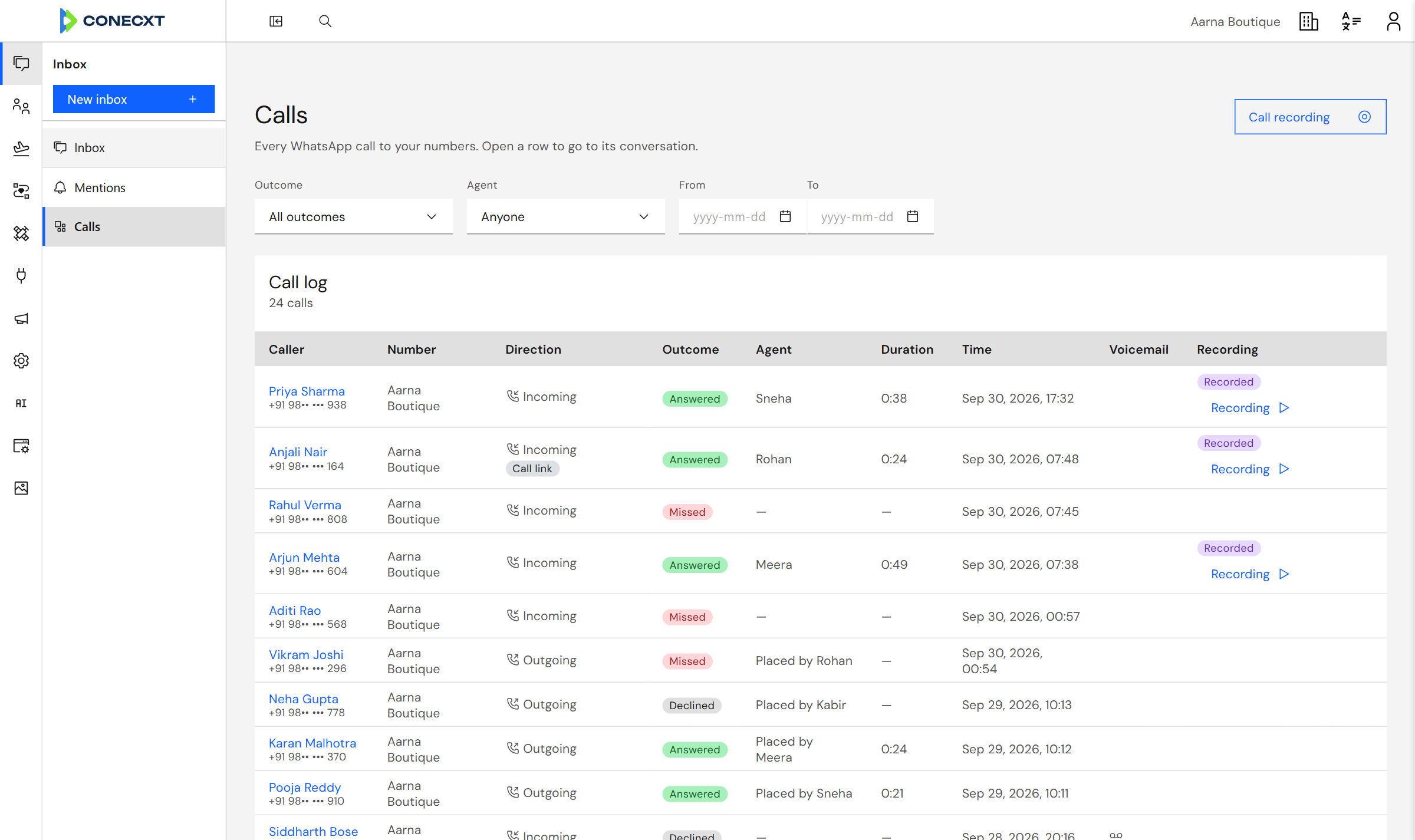 NewWhatsApp Calling Customers call your WhatsApp number and your team picks up in the browser.Team Inbox Your whole team answers from one shared inbox.
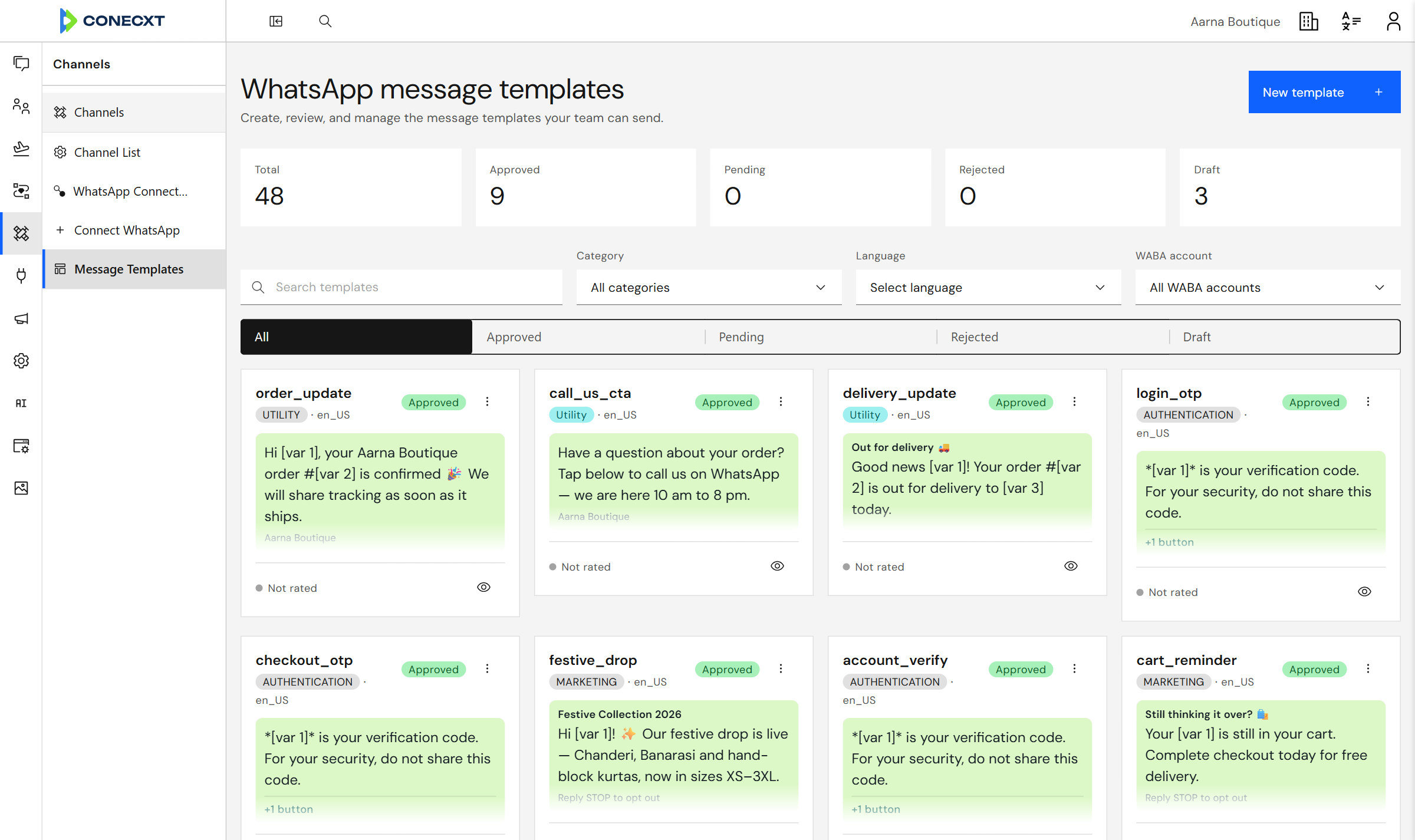 Campaigns Send to thousands. See who read and replied.
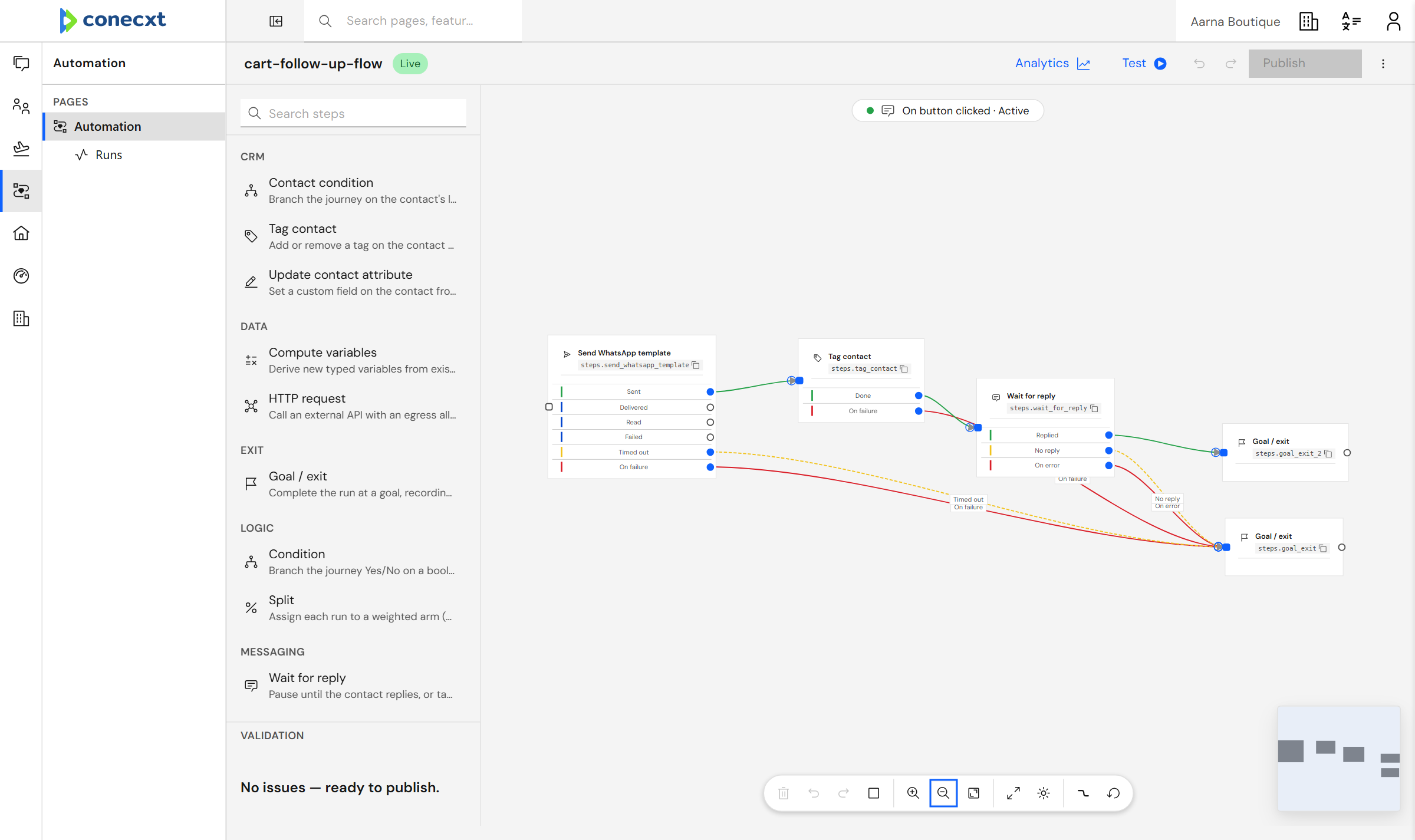 Automation Follow up automatically, every single time.
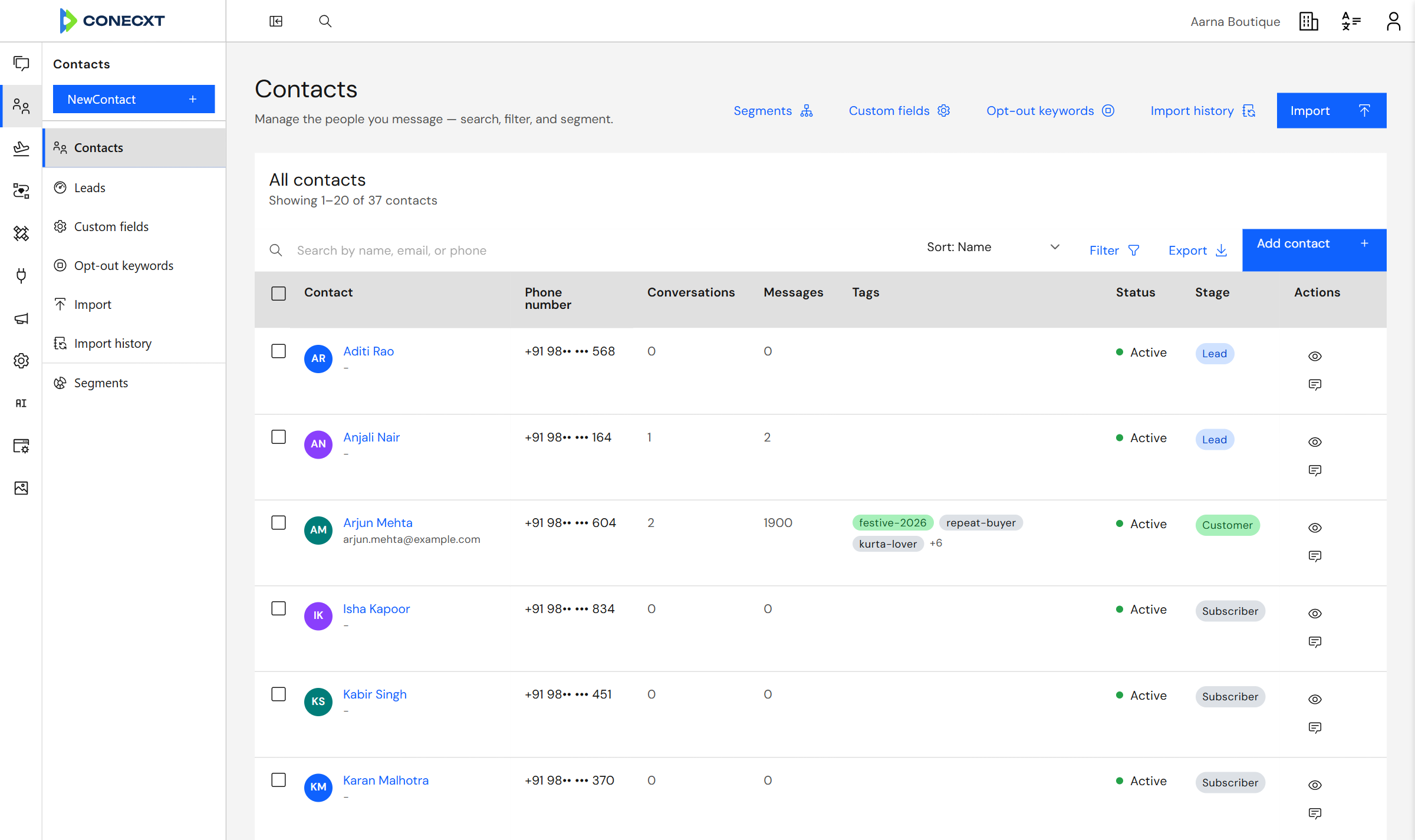 Contacts & CRM Know every customer, right in the chat.
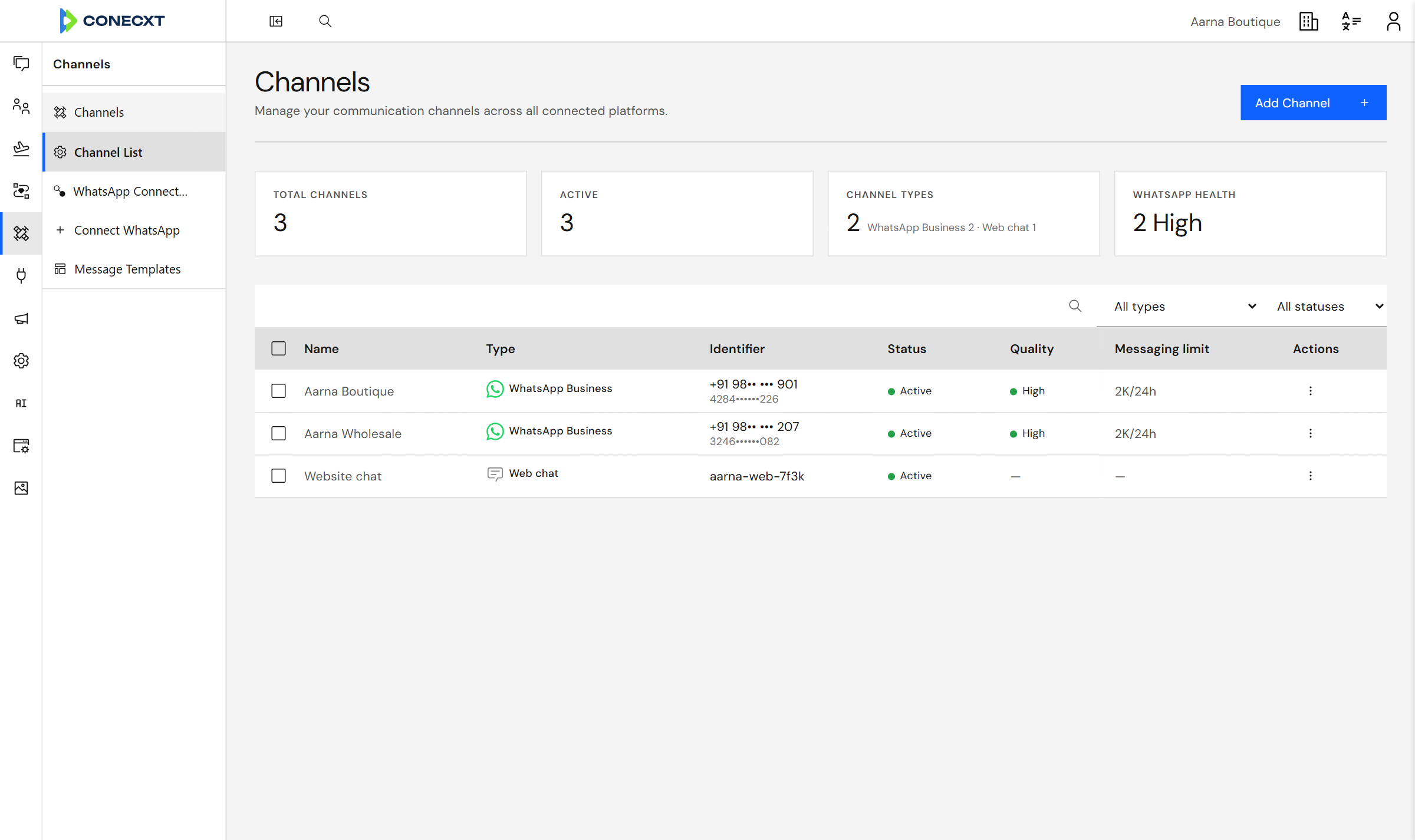 Channels WhatsApp, Instagram and web chat. One inbox.Enterprise Control who sees what, across every team.
 Every capability
Everything the platform does today.
90 live today
Team Inbox
- Shared team inbox
- Messages arrive instantly, with no refresh
- Assign a chat to yourself, a teammate, or a team
- Team inboxes — each team sees only its own conversations
- Filter by unread, mine, unassigned or resolved
- Unread counts you can trust, and bulk mark-as-read
- Save the views you actually use
- Mention a teammate and they hear about it straight away
- Leave notes the customer never sees
- Mark a conversation resolved, and reopen it
- Tag a chat or move its stage without leaving it
- A side panel you arrange, showing what matters on each chat
- Start a new chat with anyone
- A composer with a live phone preview
- Send an approved template straight from a chat
- Drop customer details into any message
- Steers you to a template once WhatsApp's 24-hour window closes
- Interactive messages, location, contact cards, stickers, reactions
- Media carousel messages
- Every kind of message displays properly
- Composer autosave
- Emoji, and a quick way to insert customer details
- Shared media library with folders and tags
- See where each file is used, and keep earlier versions
- Pick from your media library anywhere you write
- Storage limits that go up with your plan
Campaigns
- Build a broadcast step by step
- Watch a campaign's progress as it sends
- Send now, later, or on a repeat
- Everyone gets their own details filled in
- Real delivered and read ticks, from WhatsApp itself
- See exactly who tapped a button in your message
- Campaign analytics dashboard
- Write templates and submit them to Meta
- Template approvals update on their own
- Headers, footers, buttons and media in templates
- Only templates approved for that number are offered
- Reusable message templates
Automation
- Drag-and-drop journey canvas builder
- Runs keep their place — a follow-up resumes exactly where it stopped
- Ready-made steps: send, tag, wait, branch, call your systems
- Branch on whether a message was delivered, read or failed
- Start a follow-up from a message, a button tap, or your own event
- Start a follow-up from an event you send us
- Start from a ready-made follow-up
- Use customer details anywhere in a follow-up
- Look up your own values to decide what happens next
- Test a follow-up before publishing, without touching your real numbers
- See every follow-up that ran, and retry the ones that failed
- See where people drop out of a follow-up
- Control what a follow-up may reach, and keep your keys safe
- Connect your own systems, each with its own login
- Call your own systems in the middle of a follow-up
Contacts & CRM
- Your whole contact list, with a full record behind each one
- Import contacts from a spreadsheet, and undo it
- Add your own fields to every contact
- Tag contacts and conversations
- Track where each customer is, from lead to customer
- Groups built from rules, that keep themselves up to date
- Use a group as a campaign audience or an inbox filter
- Every activity, note and message on one timeline
- One customer record, however they get in touch
Channels
- Official WhatsApp Business connection through Meta
- Connect your number by signing in with Meta
- Keep using WhatsApp on your phone while Conecxt runs alongside
- Connect several WhatsApp numbers to one workspace
- See each connected number and whether it is healthy
- Nothing is lost or duplicated, even if WhatsApp sends it twice
- Built so new channels plug in without rebuilding your setup
- Web chat widget on the business's own website
- Instagram via Facebook Login for Business
Enterprise
- Run more than one business from one login, kept fully apart
- Manage members, invites, roles and teams yourself
- Invite teammates by email
- Build your own roles and choose what each one can do
- Teams with managers and their own inboxes
- Departments, positions, holidays and policies in one place
- Central control of accounts and settings
- Search and jump anywhere with one shortcut
- Navigation you can pin and reorder to suit you
- Times shown in your organisation's timezone
- Right-to-left languages supported
- See what your organisation is using
- Live usage limits you can raise with add-ons
- Add more capacity when you need it
- Get told before you reach a limit
- Per-business limits, adjustable without a support ticket
- Usage counted accurately, even at high volume
- Live updates across the inbox, follow-ups and notifications
- Standards-based sign-in and permissions
See it with your own customers
See it with your own customers.